
Navigating BetKing Nigeria: Quick Login & Registration
📝 Learn how to safely register and log into BetKing Nigeria. Manage your account, explore features, and get security tips for a hassle-free betting experience.
Edited By
Thomas Green
BetKing offers one of the most user-friendly sports betting apps in Nigeria, but navigating its login process can be tricky if you're new to the app or haven't used it recently. This guide focuses on helping you access your BetKing account on mobile quickly and securely.
Whether you’re a seasoned punter or just setting up your BetKing app for the first time, knowing how to log in correctly saves time and avoids frustration. Many Nigerian users lose valuable chances to place bets because of password mistakes, app glitches, or slow internet connections. With BetKing’s growing popularity, especially in cities like Lagos and Abuja, this guide ensures you skip those hurdles.
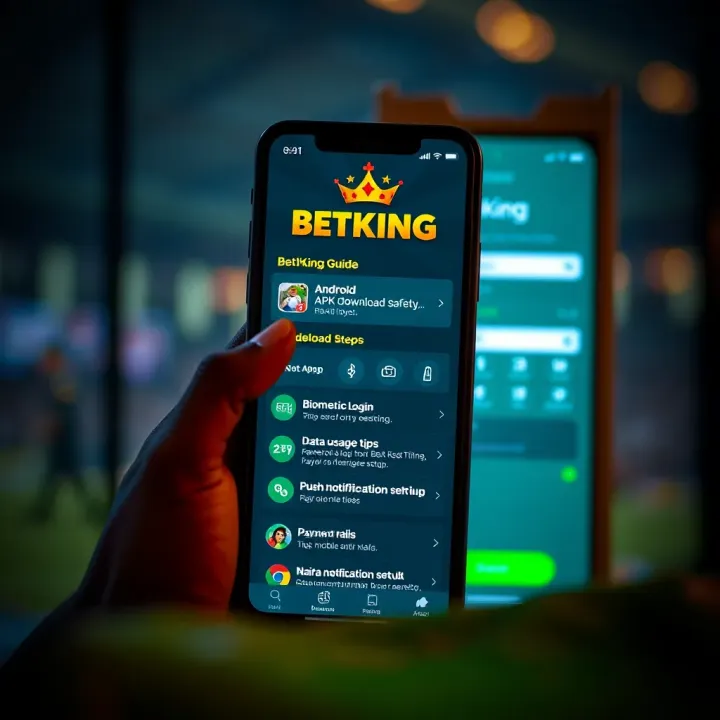
Before diving in, confirm your BetKing account is active. If you registered online or at an agent, you should have your username and password ready. The app requires this information alongside a stable internet connection—usually via 4G or Wi-Fi. Do ensure your phone’s operating system supports the BetKing app; Android and iOS versions are both available.
Open your BetKing app from your device.
Tap the Login button prominently displayed on the home screen.
Enter your username or registered phone number.
Type your password carefully, watching out for caps lock or autocorrect errors.
Press the Sign In button.
If the details are correct, you’ll land on the dashboard where you can place bets, check balances, or browse upcoming events.
Tip: Always update your app to the latest version from trusted sources like Google Play or the Apple App Store. Older versions can block logins or perform poorly.
BetKing takes your account security seriously. Use a strong password combining letters, numbers, and symbols. Avoid using easily guessed info like dates or phone numbers reused as passwords. If you forget your password, tap the Forgot Password link on the login page to reset via verified email or phone.
Common login issues include:
Incorrect password entries
App crashing due to outdated version
Network delays caused by unstable data
Restart your device, check your internet, and confirm the app is updated before reaching out for support.
Having smooth access ensures you don’t miss out on live bets or special promo offers. With this clear login approach, you are better set to enjoy the full BetKing betting experience on your mobile device.
Starting strong with the BetKing app sets the tone for your whole betting experience. Before you can place that lucrative wager, you need to have the app properly installed and an account fully set up. This section spells out the basics — from getting the app on your device to creating a new account — so you won’t find yourself stuck at the gate.
Downloading the BetKing app is straightforward but varies slightly between Android and iOS. For Android users, the app is usually available for direct download from BetKing’s official site because the Play Store restricts gambling apps in Nigeria. Make sure to allow installations from unknown sources in your device settings before downloading the APK file. For iPhone users, the app is found on the Apple App Store and can be installed like any regular app.
Minimum device requirements matter because a heavy app on an older phone causes slow performance or crashes. BetKing recommends Android devices running at least version 5.0 (Lollipop) with 2GB RAM to keep things smooth. For iOS, iOS 11 or later is ideal. If your phone is too old or has limited storage, you might face difficulties installing or running the app, especially during peak betting hours.
Common installation hiccups include slow internet, not enabling permissions, or having outdated OS versions. If the app stalls during installation, restarting your device or updating its system software usually fixes the problem. Clearing some storage space also helps, since the app needs room for its installation files.
When registering, BetKing asks for basic but vital personal details like full name, phone number, date of birth, and email address. Accurate data is crucial because it’s linked to verification, withdrawals, and account security. Using a working phone number and email ensures you’ll receive important messages including transaction alerts and password resets.
Verification is a quick but necessary step to confirm your identity and reduce fraudulent activities. You might receive a code via SMS or email, which you’ll have to enter to complete registration. This step can save you from future hassle, particularly if you plan to withdraw winnings promptly.
For smooth registration, use strong, unique passwords combining letters and numbers, and double-check your personal information before submission. Avoid rushing through each form section; mistakes can delay account activation. Also, consider registering during times when your internet connection is stable to avoid incomplete submissions.
Getting the BetKing app properly installed and your account set up right upfront makes your betting experience hassle-free and secure. It’s worth spending a little extra time here to avoid login and verification headaches later.
Logging in to your BetKing app account is the gateway to enjoying a smooth and secure betting experience. Getting this step right allows you to place bets without hassle while keeping your details protected from unauthorised access. This section gives clear instructions to ensure you access your account quickly and safely.
Once you launch the BetKing app on your smartphone, the first screen you see is usually the welcome or homepage. To locate the login area, look towards the top right corner or the main screen centre where the "Login" button is typically placed. BetKing keeps it simple to reduce any confusion, which is helpful especially when you’re in a hurry or managing poor network connectivity.
If the app opens directly to the promotional dashboard after your first login, find the menu icon (usually three horizontal lines) to open a sidebar, where the login option remains accessible when you log out or switch users.
After tapping the login button, enter your username and password carefully. Your username is often your registered mobile number or email—ensure you type it correctly. For passwords, case sensitivity matters; "BetKing123" and "betking123" are treated differently. Being precise avoids multiple failed attempts that may temporarily lock your account.
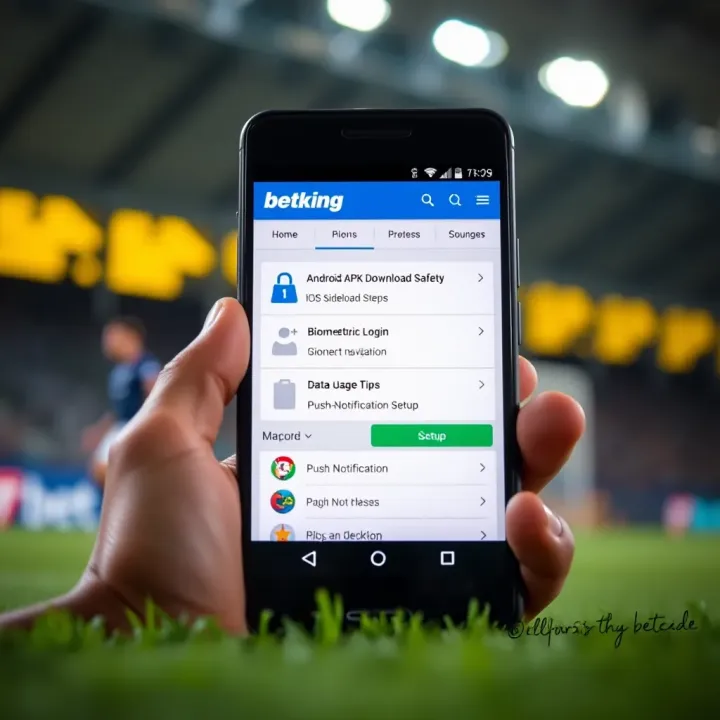
It’s a good idea to use a password manager or write your credentials securely offline to prevent errors. Since Nigerian users might have to rely on mobile data, even a small slip or connection delay can cause frustration. Double-check details before hitting the login button.
Many modern devices now support biometrics such as fingerprint or facial recognition. BetKing app integrates this feature for quick, hassle-free access once you've logged in at least once. Instead of typing your credentials every time, you can enable biometric authentication in the app settings.
This is practical for those who value speed, especially when Lagos traffic or waiting for an okada ride cuts into their betting time. Just ensure that your mobile device’s security is up to date, and avoid biometric login on shared phones to keep your account safe.
Using a strong password reduces chances of your account being compromised. Avoid obvious choices like "password123" or your birthdate. Instead, combine uppercase and lowercase letters, numbers, and symbols. For example, "B3tK!ng2024" is much stronger.
A strong password not only protects your betting funds but also your personal information. Given naira’s volatility, it’s unwise to risk losing access because of weak login security.
Phishing attacks remain a threat, so watch out for fake messages or emails asking for your BetKing login details. Always access your account through the official app or website, not through links sent by strangers or unofficial channels.
If you receive suspicious links via SMS or WhatsApp promising free bonuses for logging in, don’t be tempted. BetKing never requests your password outside the app. Remember, no legitimate service will ask you to confirm sensitive data via messages.
Always double-check URLs and don’t share OTPs or passwords with anyone, no matter how convincing the requester sounds.
Two-factor authentication (2FA) adds an extra layer of protection by requiring a second verification step, usually a code sent via SMS or email during login. Even if someone guesses your password, they can’t enter your account without this code.
Enabling 2FA on your BetKing account is especially useful for Nigerian users who may use shared devices or occasionally connect on public Wi-Fi. It’s a simple setup in the app’s security settings and offers peace of mind when placing bets involving real money.
With these steps, logging in becomes both straightforward and secure, setting you up for a reliable betting experience on the BetKing app.
Facing login issues on the BetKing app is common, especially with mobile apps where network and technical hiccups occur frequently. Knowing how to troubleshoot saves time and frustration, making your betting experience smoother. Issues like forgetting your password or technical snags shouldn't stop you from placing bets. This section guides you through practical steps to fix these common problems, ensuring continuous access to your account.
Using the password reset feature is the first clear step if you can’t recall your login details. BetKing offers a straightforward option to reset your password directly from the login screen. Typically, you’ll enter your registered email or phone number, and the app will send a reset link or a verification code. This lets you securely create a new password without needing to contact support.
Verifying identity during reset protects your account from unauthorized access. After requesting a password reset, BetKing may ask questions such as your date of birth, registered phone number, or send a one-time password (OTP). This process confirms you are the rightful account owner. For example, if you don’t receive the OTP, it might be because of network issues or wrong contact information, a problem you can usually fix by double-checking your details or trying again after some time.
Tips for creating a new password are vital to keep your account secure going forward. Avoid obvious choices like your birth date or "password123". Instead, use a mix of upper and lower-case letters, numbers, and symbols. A password like "B3tK!ng2024" is both strong and memorable. Updating passwords regularly and avoiding repeats will help protect your account against hacks.
Checking internet connectivity is often overlooked but crucial. A weak or unstable connection can cause login failures, especially during peak hours or in areas with poor network coverage. Try switching between Wi-Fi and mobile data to see which works best. If you’re in an area with unreliable networks, connecting through a stable location like a café with good Wi-Fi can resolve the issue.
Updating the app to the latest version improves its performance and may fix bugs that cause login problems. BetKing often releases updates to enhance security or add new features. Using an outdated app version might block you from accessing your account. Check your device’s app store regularly and enable automatic updates so you won’t miss critical upgrades.
Clearing cache and data from the app helps if the app freezes or refuses to log you in. Cache stores temporary files that sometimes get corrupted. Clearing it removes these problematic files without deleting your account. On Android, you can do this via Settings > Apps > BetKing > Storage > Clear Cache and Data. This often resolves common glitches.
Available support channels include live chat within the app, email, and phone. Live chat is usually the quickest way to get help with login issues, especially if automated fixes fail. Email support works well for less urgent problems or when you need to explain the issue in detail.
Information to provide for faster help includes your username, registered email or phone number, and a clear description of your problem. If you tried resetting your password or cleared the cache, mention that too. Providing detailed info upfront enables the support team to diagnose and solve your problem quicker.
Typical response times from BetKing support vary but generally range from a few minutes via live chat to 24-48 hours by email. For urgent login issues, live chat is best, especially during major sports events when access to betting markets matters most.
Remember, most BetKing login problems have simple fixes. Being proactive and knowing when to reach out for help makes your betting smoother and more enjoyable.
Understanding the features and benefits of the BetKing mobile app helps users take full advantage of this platform’s offerings. The app is designed to make betting accessible and convenient for Nigerian users, combining ease of use with powerful tools. These features boost not just the speed of betting but also enhance user experience and security.
Live betting on the BetKing app means you can place bets while a game or event is in progress. This feature is especially useful for football fans watching the NPFL (Nigeria Professional Football League) or international matches like the English Premier League. For example, if the underdog team scores first, you might quickly place a bet on them to win before the odds change. This dynamic experience keeps punters engaged and can increase the chances of better returns by reacting to real-time events.
Pre-match betting covers all bets placed before the start of a sporting event. BetKing offers a wide range of markets here, including outright winner, correct score, goal scorers, handicaps, and over/under goals. For instance, before a big Sallah weekend match, you can study form guides and place bets in advance, locking in odds that might shift closer to kickoff. This variety means users can tailor their bets according to strategy and knowledge instead of rushing decisions during live play.
BetKing’s app interface ensures you can effortlessly find any game or market without scrolling through long lists. The search bar lets you type a team name or event, bringing up options instantly. There are also handy filters for sport type, league, and live status. For example, if you want quick access to basketball bets during the ember months, a simple search takes you there immediately. This functionality saves time and keeps the betting process straightforward and enjoyable.
Handling money on the BetKing app is seamless with multiple options tailored for Nigerians. You can deposit money using bank transfer, USSD codes like 3896#, or popular payment platforms such as OPay or Paystack. Withdrawals follow a similar smooth process, often settling within 24 hours. For example, after a successful bet, you can quickly cash out winnings to your GTBank or Access Bank account without fuss.
Keeping track of past bets helps punters learn and improve their strategies. The app stores a detailed history, showing every wager, amount, odds, and outcome. By reviewing this, you can identify patterns or rethink risky approaches. For example, if your history shows losses mainly on basketball live bets, you might decide to focus more on pre-match football wagers.
BetKing regularly provides bonuses like first-time deposit matches, bet credits, or referral rewards. The app notifies you when such offers are available and lets you apply them easily to your bets. For instance, during ember months promotions, you might receive a ₦500 bet credit after your first wager, boosting your betting power without extra cash. These perks keep punters motivated and extend their playtime affordably.
Taking advantage of BetKing app features not only saves you time but also helps manage your betting activities wisely and securely. The platform’s local payment options, real-time betting, and useful account tools are tailored for Nigerian users to enjoy a qualified betting experience.
Maximising your BetKing app experience means more than just logging in and placing bets. To enjoy smooth, secure, and responsible betting, there are practical steps you can take that improve both performance and safeguard your account. This section lays out key tips to keep the app up-to-date, secure, and aligned with healthy betting habits.
Enabling automatic updates on your BetKing app ensures you always have the latest features and security patches without lifting a finger. This setting allows your device to download updates when connected to Wi-Fi, preventing data charges and reducing interruptions. For example, when BetKing launches new betting markets or fixes bugs, you get instant access without having to check the store.
Changing your password regularly adds a layer of defence against hackers and unauthorised access. Aim to update your password every two or three months, picking a strong combination of letters, numbers, and symbols. For instance, if your last password was "BetKing2023", consider something less predictable like "King_Bet_987". This also cuts down on risks if you’ve used the same password elsewhere or suspect it might have been compromised.
Connecting to secure and trusted Wi-Fi or mobile data networks is vital when logging in or transacting on BetKing. Avoid public hotspots like those in markets or cafés, where hackers often set traps to steal login details. Using your mobile network or a VPN adds extra protection. Suppose you’re on a danfo ride and want to check your bets; it’s safer to wait until you’re on your home or office network.
BetKing offers tools to set daily, weekly, or monthly betting limits. Using these features can help you stay within your budget, especially during ember months when temptation to overbet often rises. For example, you might cap your weekly bets at ₦10,000 to avoid impulsive spending that could hurt your finances.
Awareness of your betting habits is crucial. Signs like chasing losses repeatedly or betting beyond your means point to risky behaviour. If you notice you’re increasing stakes just to recover lost bets, it’s time to pause and reassess your strategy. Such insights help prevent addiction and protect your financial health.
BetKing integrates responsible gaming features like self-exclusion, reality checks, and access to support resources. These can help you manage time and money spent on betting. For example, enabling reality checks might remind you every hour to evaluate your gaming behaviour, assisting you to avoid losing track of time or funds.
Staying on top of app updates, security, and personal betting limits safeguards not only your account but also your enjoyment. Bet smart, keep your details safe, and make use of BetKing’s tools to bet responsibly.
Following these tips will enhance your BetKing app experience by balancing convenience with security and responsible play. This approach benefits everyone serious about sports betting in Nigeria’s growing digital space.
📝 Learn how to safely register and log into BetKing Nigeria. Manage your account, explore features, and get security tips for a hassle-free betting experience.
🔗 Find the official BetKing app link, download safely, and install easily in Nigeria. Get tips to fix issues & stay secure while betting with BetKing. 🎲📱
Discover how to use ShopBet on BetKing Nigeria 💰, explore payment options, enjoy smooth betting, and learn tips to boost your ₦ winnings effortlessly!
⚽ Discover how BetKing Soccer leads Nigeria's football betting scene with easy payments, user-friendly features, and smart tips for responsible play. ₦ rewards await!
Based on 13 reviews